How to message someone on TikTok (full guide)
TL;DR: Sending a TikTok DM takes three taps from any video or profile. For creators, every DM is a sales opportunity you're wasting if your link-in-bio doesn't convert, so pair your messaging game with a profile page that actually works.
How to message someone on TikTok
You can message someone on TikTok in three taps: open a video or profile, hit the share or message icon, and type your message. That's the short answer. TikTok's DM feature works on mobile (iOS and Android) and desktop, and it supports text, videos, photos, and profile shares. Privacy settings control who can message you first, and as of 2024, TikTok lets any registered user send you a DM, not just mutual followers, unless you've changed the defaults.
Below is everything you need to know: how to send a DM, how to manage who can reach you, the platform's read-receipt quirks, and why your link-in-bio is the piece most creators forget to set up before they go viral.
Key takeaways- TikTok DMs work from videos, profiles, or the inbox icon in three taps.
- You can restrict messages to Everyone, Suggested friends, Mutual followed friend, or No one.
- Read receipts require both sides to turn the feature on.
- Every DM conversation is a chance to send someone to your links. Make sure that page is actually good.
How to send a TikTok DM from a video
The fastest way to send a message on TikTok is directly from the content that inspired you. While watching any video, tap the share arrow on the right side of the screen. A tray pops up with sharing options. Tap "Send to friends," then select the person you want to message from your contact list. Add a caption if you want, then tap "Send." The video lands in their DM inbox as a clickable preview.
This is how most TikTok conversations start, especially between creators and fans who don't follow each other yet. TikTok's internal research has found that video-sharing via DM is one of the top engagement drivers on the platform, second only to comments in terms of active participation. Sharing a video also notifies the original creator, giving you an indirect way to get on their radar without cold-messaging them.
How to start a DM from a profile
Go to any TikTok profile page. Just below their bio, you'll see a "Message" button next to the Follow button. Tap it and a new message thread opens. Type your text, attach media if needed, and send. If the person has restricted their DMs, that button may not appear or will show a locked state.
On desktop, the flow is the same: visit a profile at tiktok.com, click the message icon next to Follow, and the chat window opens in the sidebar. Desktop DMs support the same media types as mobile, though the interface is less polished. Most creators respond faster on mobile, but desktop is useful if you're managing a high volume of messages as a brand.
How to find and reply to existing conversations
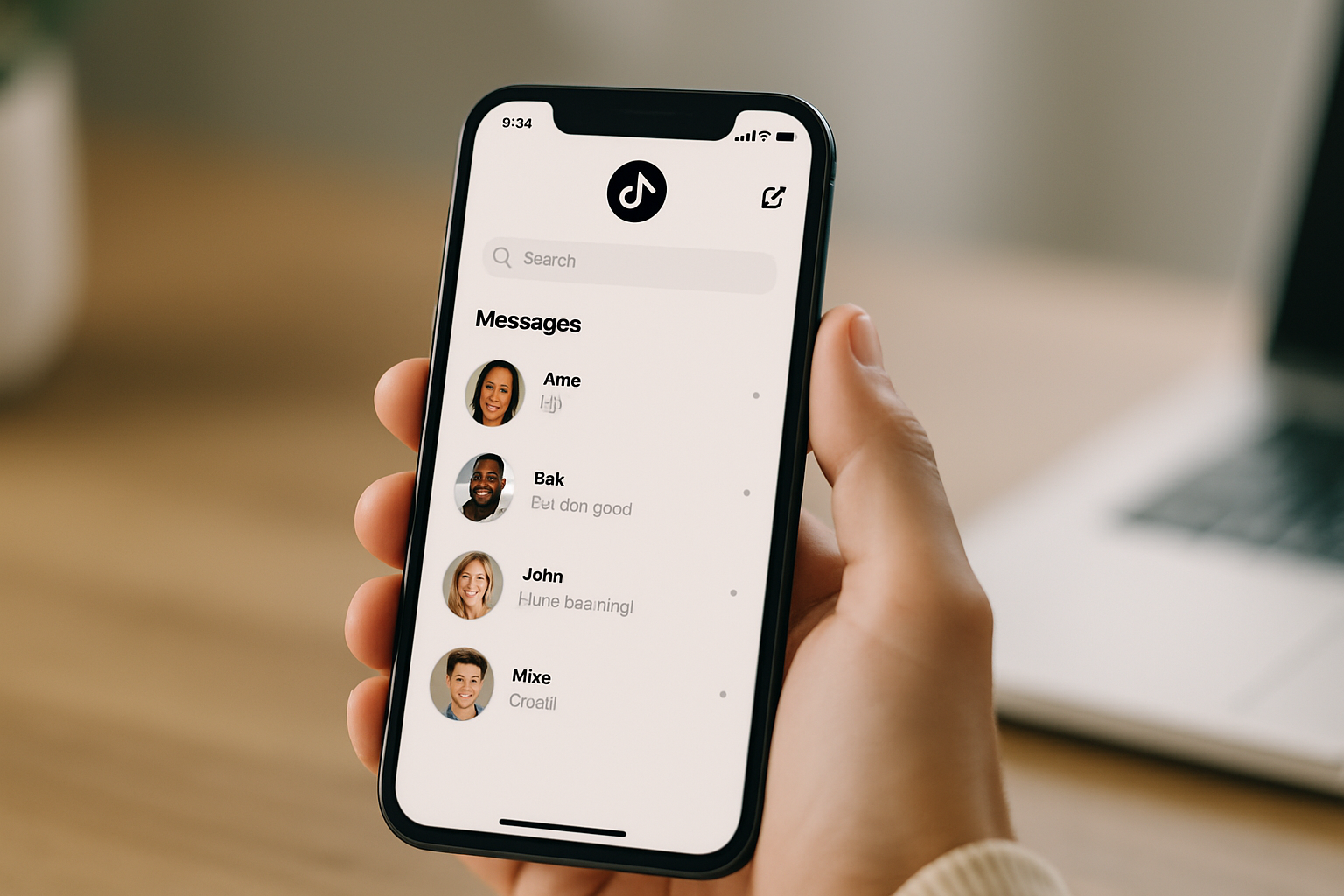
All your TikTok messages live in your inbox. Tap the speech bubble icon at the bottom of the app (it looks like a chat bubble with a dot). Your active conversations appear in the "Messages" tab. Tap any thread to open it, type your reply, and send. You can also react to individual messages with an emoji by holding down on any message.
If someone messages you for the first time and they're not a follower, their message appears under "Message requests" instead of the main inbox. TikTok keeps these separate so your regular conversations don't get buried. You can accept, decline, or report a request. Accepting moves the thread to your main inbox permanently.
Switch from Linktree in 60 seconds
Paste your Linktree URL — we'll bring over your links, bio, and avatar. Free forever, no credit card.
Import my Linktree →
Managing your DM privacy settings
TikTok gives you four options for who can message you first, and the default changed in 2024. Any registered user can now initiate a DM unless you've set it otherwise. To check or change your settings: go to your profile, tap the hamburger menu in the top right, select Settings and privacy, then Privacy, then Direct messages. The four options are Everyone, Suggested friends (followers you follow back plus Facebook contacts), Mutual followed friend (followers you follow back who you've also messaged), and No one.
For creators running brand deals or selling products, "Everyone" maximizes inbound reach. If you're getting spammed, drop to "Suggested friends" first before going to "No one," which cuts you off from potential customers entirely. Parents managing teen accounts can control these settings through TikTok's Family Pairing feature, which links a parent's account to a child's and allows remote privacy management.
Read receipts: how they actually work
TikTok's read receipts are opt-in on both ends. You can see when someone has read your message only if both you and the recipient have read receipts turned on in settings. If either of you has it off, no read status shows. To toggle it: Settings and privacy, Privacy, Direct messages, then Read status. Most creators leave this off to avoid the awkward optics of reading and not replying. If you're managing DMs professionally, turning it off removes the implicit pressure to respond immediately.
Why DMs matter more than most creators realize
TikTok DMs aren't just social small talk. They're the closest thing TikTok has to a conversion channel. When someone DMs you asking where to buy what you showed in a video, or whether you take commissions, or how they can work with you, that's a warm lead. Most creators lose those leads because their link-in-bio is either broken, points to a single link that doesn't answer the question, or sends people to a Linktree page with slow load times and forced Linktree branding.
The data on this is not subtle. According to a 2023 Linktree internal report, the average link-in-bio page has a 20-30% click-through rate on the first link, dropping sharply for anything below it. That means most people who follow the link from your TikTok bio aren't finding what they came for. They tap once, don't see it immediately, and leave. A well-organized bio page with your most relevant links at the top, a clean design that matches your TikTok branding, and fast load times can double or triple your conversion rate from DM-driven traffic.
If someone DMs you asking "where can I buy that?" and you reply "check my link in bio," you've got exactly one shot to convert them. Make it count.
See the side-by-side
Paste any Linktree URL and see how that same profile would look on MyLinks.page.
Preview it →
What your TikTok bio link should actually do
Most TikTok creators treat their link-in-bio as an afterthought. They paste in a Linktree URL, add four or five links in whatever order they set them up two years ago, and move on. That setup loses money every day.
A high-performing TikTok bio link does three things: loads fast on mobile (the majority of TikTok traffic is mobile, often on LTE, not WiFi), shows your most conversion-relevant links first based on what content you're currently posting, and doesn't show a competitor's branding on your page.
That third point trips up a lot of creators. Linktree's free tier puts a Linktree logo on your page. When a fan clicks your bio link and lands on a page that says "Linktree" at the top, the experience communicates that you haven't invested in your own presence. It's a small thing, but it signals something. MyLinks.page removes that branding entirely on the free tier, lets you connect your own custom domain on Pro option so your bio link can be yourname.com instead of linktr.ee/yourname, and tracks every click with UTM-level analytics so you know exactly which TikTok videos are driving traffic and which links those visitors are clicking.
For creators who are actively DMing fans or managing inbound leads, the analytics piece matters a lot. If your DMs spike every time you post a certain type of content, you want to see that reflected in your bio link data, not just guess at it.
A faster way to handle TikTok DMs as a business
If you're using TikTok as a business channel, volume becomes a problem quickly. A video that hits 100k views can generate hundreds of DMs in 24 hours. Most of those messages ask the same five questions. The move is to pin a comment to your popular videos with a direct answer to the most common question, and to make sure your bio link page has a clear FAQ or product section that pre-empts the question entirely.
Create a section on your bio page that mirrors whatever you're currently selling or promoting. If you're in a cooking phase and your last ten videos are recipes, your bio page should show your recipe book or Patreon first, not your merch from 2021. Most link-in-bio tools make reordering links annoying. MyLinks.page lets you drag and reorder sections in under ten seconds, so keeping your page current with your content takes no effort.
TikTok DMs work well as a conversion tool when the path after the DM is clear. Someone messages you, you reply with "check my bio link," they land on a page that immediately shows them what they were looking for, and they buy or subscribe. That's the chain. Every weak link in it costs you.
Set up your messaging privacy so the right people can reach you. Reply to message requests from potential customers before they cool off. And make sure the page your bio link sends them to is actually doing its job. Those three things together will make TikTok's DM feature worth far more than most creators are getting out of it today.